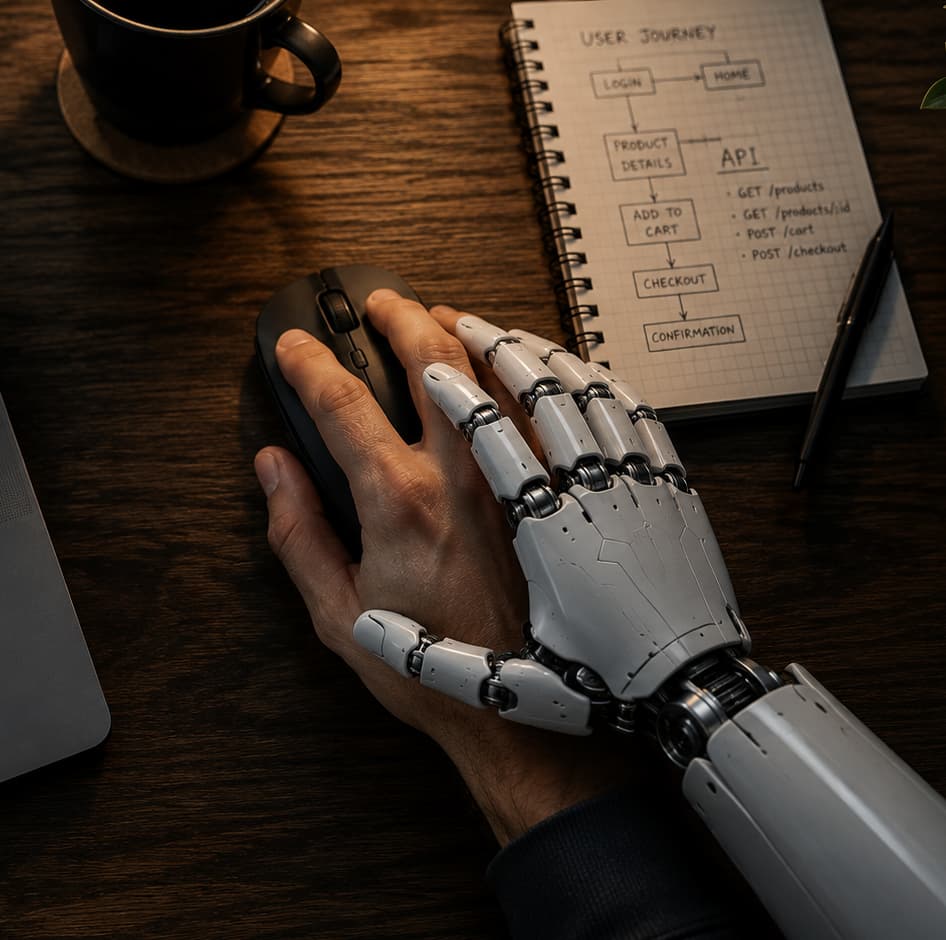
I have a confession to make: there’s no way to live my life without AI anymore. It became something fundamental. And I already know what some of you are thinking: “so what course is this guy going to sell us?” 🙃. Fortunately I’m not here to sell you anything; this is going somewhere else.
What I want to tell you is why trying these tools early became so important to me. I’ve always had the fortune (or the stubbornness) of genuinely liking to try things. Many times someone would ask me “why do you pay for ChatGPT if you have Copilot for free?”, and my answer was that paying isn’t the problem. If you want to be an early adopter you have to try things, and a 20-dollar subscription I can cancel whenever I want isn’t going to leave me broke. The question was never whether it was worth paying that forever, but what I could learn if I tried it before everyone else adopted it. And that’s where AI started changing the way I work and live.
I use AI mainly for two things: work and everyday life. In both, the impact has been enormous.
AI at work
At work I almost never write code from scratch anymore. I don’t mean AI does everything by magic or that you can switch your brain off, but the way of programming did change: my job now is more about describing what I need, reviewing what the tool proposes, adjusting, testing, fixing, and iterating again.
And to get started you don’t need to be a professional “prompt engineer” or take three certificate courses. You just have to use it. With use you start understanding what works for you, what doesn’t, when to trust it, when to review it under a magnifying glass, and when to say “no, this is wrong, let’s do it differently”. You also need patience: AI won’t always do 100% of the work for you, but it can do 70, 80, or even 90% depending on the context. And that remaining percentage is rarely “doing it by hand” from scratch; it’s more like massaging the result, adjusting details, asking for a better version, writing tests, or reviewing edge cases. That’s already a normal part of my workflow.
I’ve been at this for a good while. I know people who are really deep into it, with tons of agents, automations, and very advanced workflows; I don’t go to that extreme (I also have a life), but I do keep adapting more and more. Tools like Cursor and Claude Code became central to how I program: I use Cursor for more detailed work, because it helps plan, write, and review code, while Claude Code I use for complete tasks, reviewing and refining its planning depending on the case. Although at this point both do practically the same thing, so either one, or alternatives like Codex, works perfectly.
That said, there’s a big contrast between the personal and the corporate side. On a personal level this is wild: you can try the latest stuff, install things, break your own projects, make mistakes, and start over without much protocol. At the company level the story is different, because companies have security, privacy, compliance, permissions, and licensing restrictions, all of them valid. Using AI on a side project is not the same as using it inside a company with sensitive data, clients, and legal responsibilities, so at work things move a bit slower. It makes sense, and even so, the change can already be felt.
AI in personal projects
The second big use case is my personal life, and that’s where side projects come in. I have a ton of projects lying around, not necessarily abandoned (because “abandoned” sounds very dramatic); sometimes you just change priorities.
The difference is that now, when I have a free moment, I can open an instance and say: I have five minutes, help me move this forward, sort out this part, look at this error, propose a structure. An hour can go by, a day, or even another weekend, and when I come back I ask “okay, where were we?”. Maybe I didn’t get very far, but I made progress, and that matters to me. Before, many projects stalled because of the friction of picking them back up: remembering the context, figuring out where I’d left off, opening the editor, checking errors, looking up documentation. Now that friction drops a lot, AI helps me pick things back up, and sometimes a small step is still a step.
AI as cognitive offloading
But it’s not all code. One of the most important uses for me is cognitive offloading. I’ve always been big on note apps, and right now I use one I recommend a lot: Voicenotes. I dump everything I’m thinking in there (ideas, task lists, journaling, reflections, pending stuff), record voice notes, it transcribes them, and then I can interact with them using AI.
That helps me not stress out, because I’m one of those people who, if they have something in their head and don’t write it down, keep thinking about it 24/7: I stop paying attention to my surroundings, I don’t rest, I can’t let it go. And if I don’t write it down and forget it, you know what the worst part is? That I don’t forget that I forgot something. That, I don’t forget. And then the mental torture begins: “what was it? it was important, I had to sit down with it, what was it?”. I almost always manage to recover the idea, but that moment of frustration is horrible, so I’d rather offload it fast: record it, jot it down, leave it somewhere.
I don’t know if something like this has happened to you: on a Sunday I think “I have to message my friend”. Monday goes by and in a free moment I think again “oh, I have to write to him”. Tuesday comes, I’m walking into a mentoring session (where I’m the mentor) and, talking with my mentee about something related to that friend, I remember I still haven’t written to him: “sorry, give me a moment, I’m going to message him right now because I’ve been carrying this intention since Sunday”. That’s exactly what I want to avoid. It’s not just the task itself, it’s the mental load of remembering that I have a pending task. For that, AI, voice notes, transcriptions, and reminders became indispensable.
There’s no going back
For me, AI stopped being a curiosity or a tool I use “sometimes”. It’s now part of how I work, how I organize myself, how I think, and how I move my projects forward. Not because it does everything perfectly or because it replaces judgment or takes away your responsibility to keep learning, but because it reduces friction: it helps me start, keep going, offload my head, and turn five free minutes into something useful.
And once you get used to that, going back feels impossible. Without AI I can no longer work or live the way I did before. There’s no way.

